
Before you start
New to ServiceUp? Here's what to do first:
- First time here? Log in to the ServiceUp Shop Portal (shops.serviceup.com) using the email your shop registered with.
- Can't remember your password, or your email isn't recognized? Reset your password here (shops.serviceup.com/forgot-password)
- See a message asking you to finish setting up your profile after logging in? That's normal — we just need a few more details about your shop (hours, services offered, contact info) before you can start creating repair orders. Fill those in, and you'll be dropped right into Active Orders.
Still stuck, or none of the above worked? Email platformsuccess@serviceup.com with your shop name and phone number, and our team will get you set up directly.
Once you're logged in and your profile's complete, you're ready for Step 1 below.
1. Create a new repair order
From your Active Orders, click New Repair to get started.

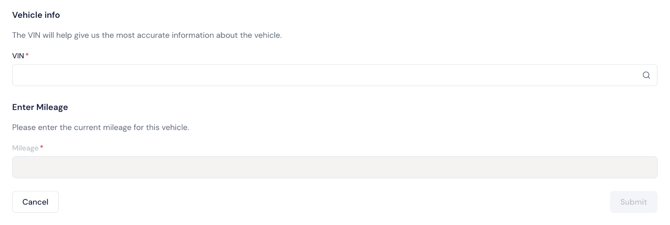
2. Enter VIN and mileage
Enter the vehicle's VIN and mileage, then click Submit.
3. Upload your estimate
Click Share Estimate to get started.
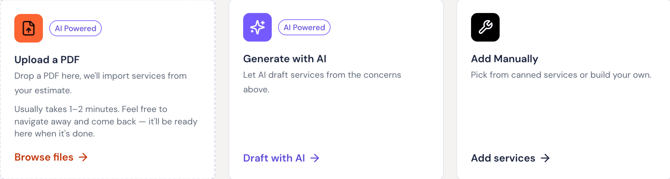
Upload a PDF, generate one with AI, or add it manually.
4. Wait for approval
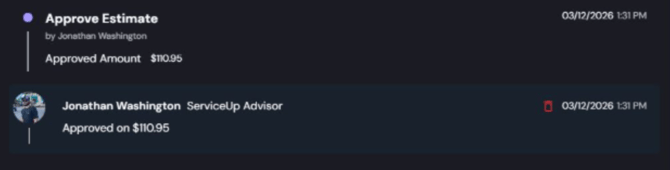
Once approved, you'll see the confirmed repair details.
If declined, update and resubmit — a declined estimate does not mean the repair is canceled.
5. Complete the repairs
After approval, begin work and keep updates current (Parts ETA, ECD, etc.)
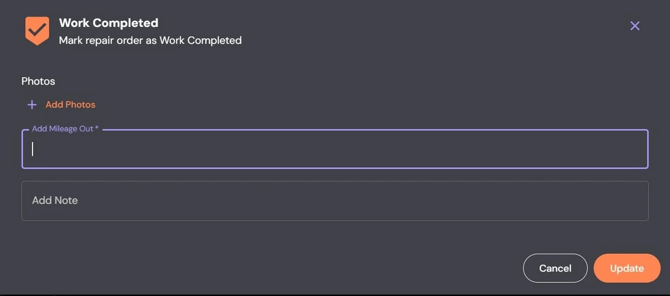
6. Mark work completed
Click Work Completed and submit mileage out.
7. Upload your invoice
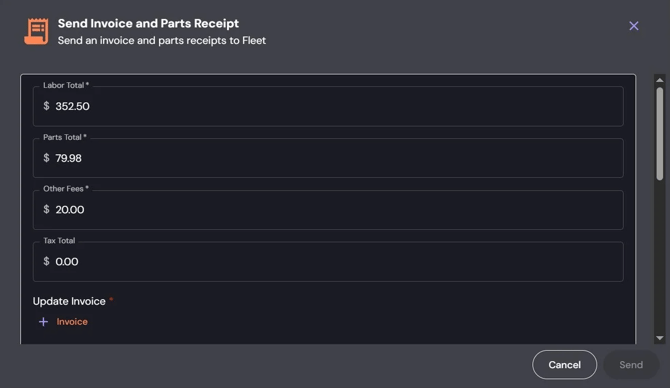
Click Update Invoice and submit your final invoice.
Invoice total must match the approved estimate.
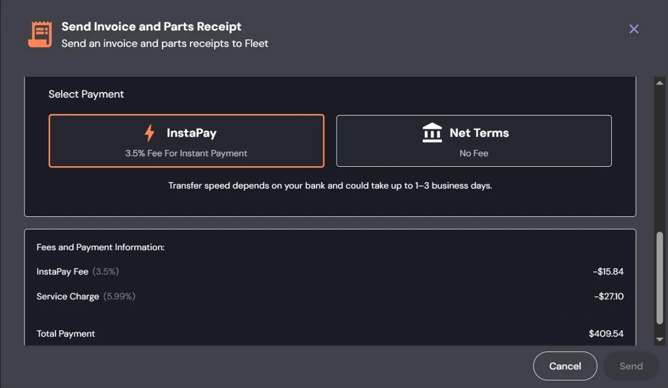
Choose InstaPay (1–3 days, 3.5% fee) or Net Terms (30–40 days, no fee).
Final step
Once the invoice is approved, the fleet will schedule pickup and close the RO.
If anything gets stuck along the way, reach out to platformsuccess@serviceup.com – we'll help get it back on track.